PROJECT ARCHIVE
A curated collection of spatial computing (VR/AR) simulations, procedural tools, interactive web applications, and developer experiments.
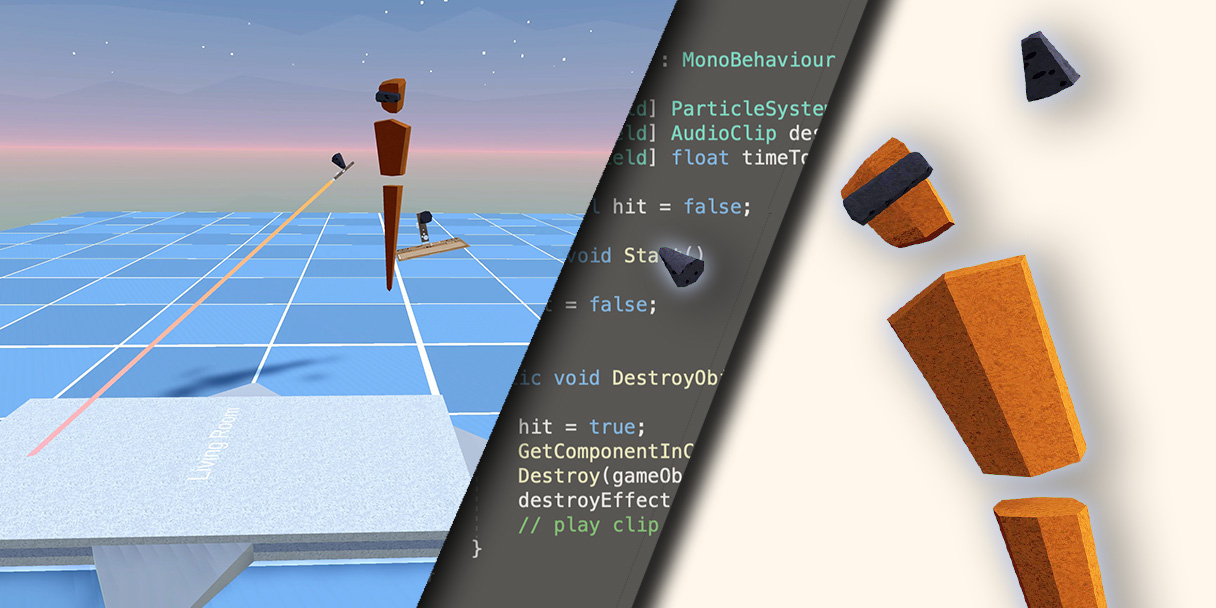

Rube Goldberg Machine
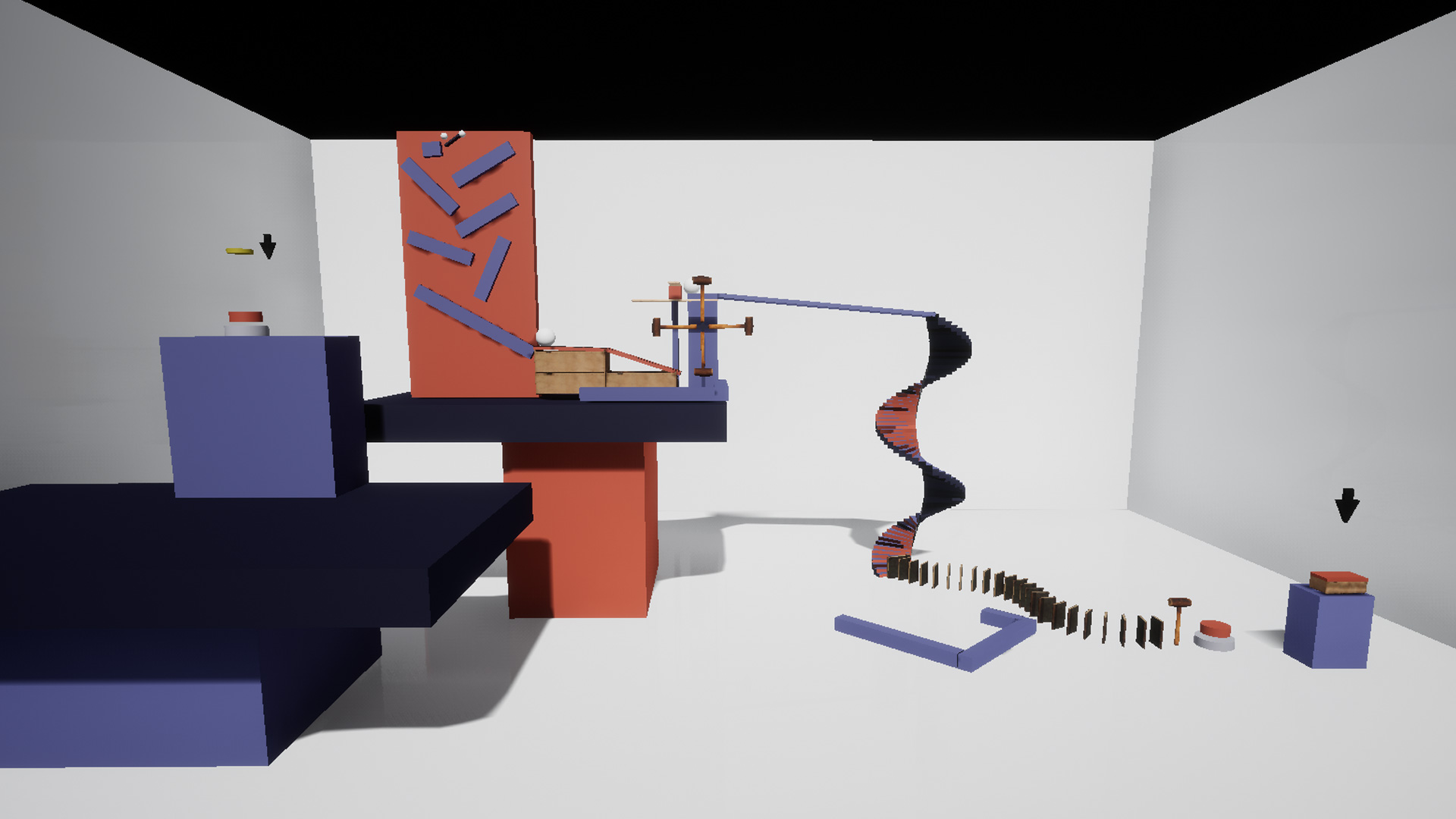
A machine that completes a single task in a complicated way. The task for my machine is to open a box full of cookies.
VR Arki Academy
A building system where the user can design and create their dream house in Virtual Reality.
// DEMO VIDEO RECORDING // 1080P HD
About
A project developed as my final project at Vancouver Film School in the VR/AR Design & Development program. This project was developed in Unity Engine.
Target
To people that shows interest in architecture, interior design or others that are planning to redecorate their current houses.
Problem / Solution
It is often a problem for some people to get a sense of scale of the space they are designing in. It is not the same to say 20 by 20 metres than to be a space of 20 by 20 metres. This tool helps to understand the 3d space, for architecture students it is one of the fundamental skills they need to develop to keep evolving their design skills
Hexagonal Procedural World
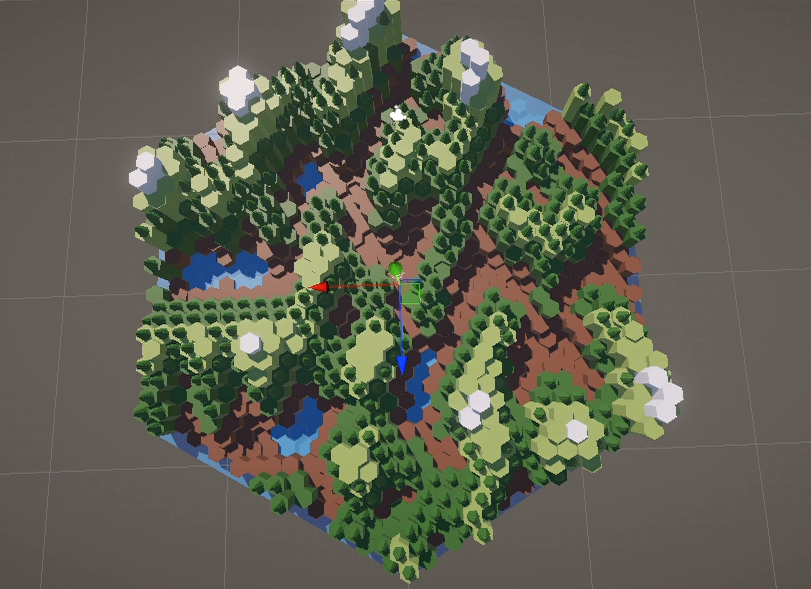
A tool to create a Procedural world with hexagons.
// DEMO VIDEO RECORDING // 1080P HD
About
A hexagonal procedural world created with Unity Engine.
Description
A while back a saw a tutorial on how to make a world like this in Blender using the Geometry Nodes system, and I thought it would be a good exercise to recreate it with Unity.
Height
This tool creates the hexagon mesh and then changes its location to create a hexagonal grid. Before drawing the mesh, the height is decided with the help of the Mathf.PerlinNoise function that Unity provides, giving as arguments the hexagon's position.
Mask
An important aspect of the world is the overall shape as a hexagon, so before generating the grid, the script spawns a big hexagon that will sorround the grid. And, before spawning every object I generated a ray to check if the position is inside the hexagon mask.
Materials
To select a material for the hexagon, the script compares the height along the maximum height and with a lerp function, it maps the value with the index of a material list. Later, for the trees, the script compares the height in percentage and checks if it is between the set range.
Model Viewer
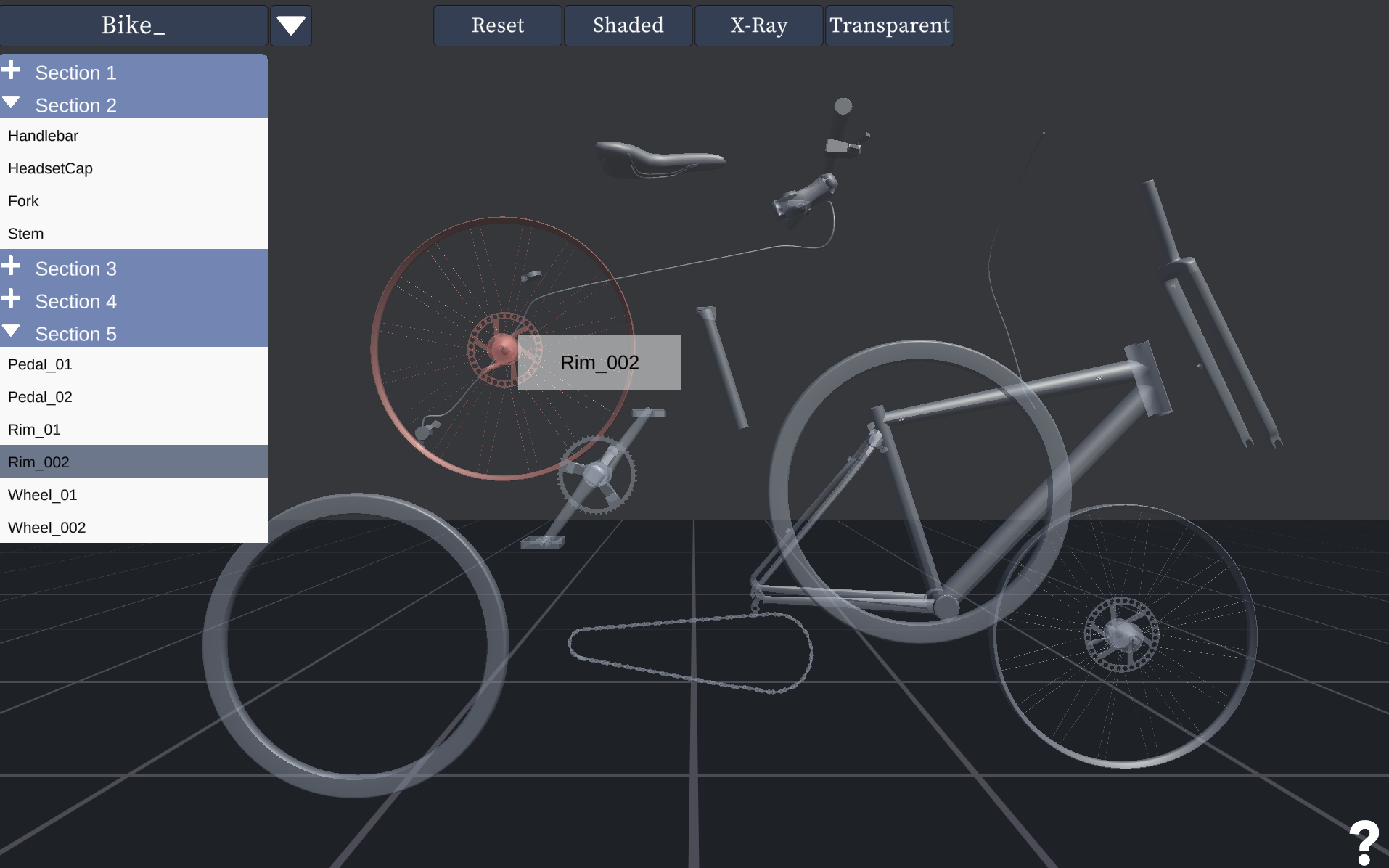
A tool to display the breakdown of an specific 3d model
// PROJECT MEDIA CAPTURE
Focus Food
Project developed for the -Women Who Code Hackathon for Social Good 2023-
// PROJECT MEDIA CAPTURE
Purpose/Mission
Women Who Code Hackathon for Social Good 2023
Many of us face challenges deciding about their next meal. But to some this minor inconvenience can be completely debilitating. Sometimes to the point where it is a danger to ones health. With [ Food decider], we hope to cut down on the complexities and anxiety of meal decisions by providing only relevant data within the [ Food decider] app.Our app might not be able to completely solve the riddle of decision-stall but it can help with managing it. Making the meal decision easier for all.
We wanted to design a site to address ADHD Decision paralysis, Dietary/Allergy management, and Food waste reduction.
Description
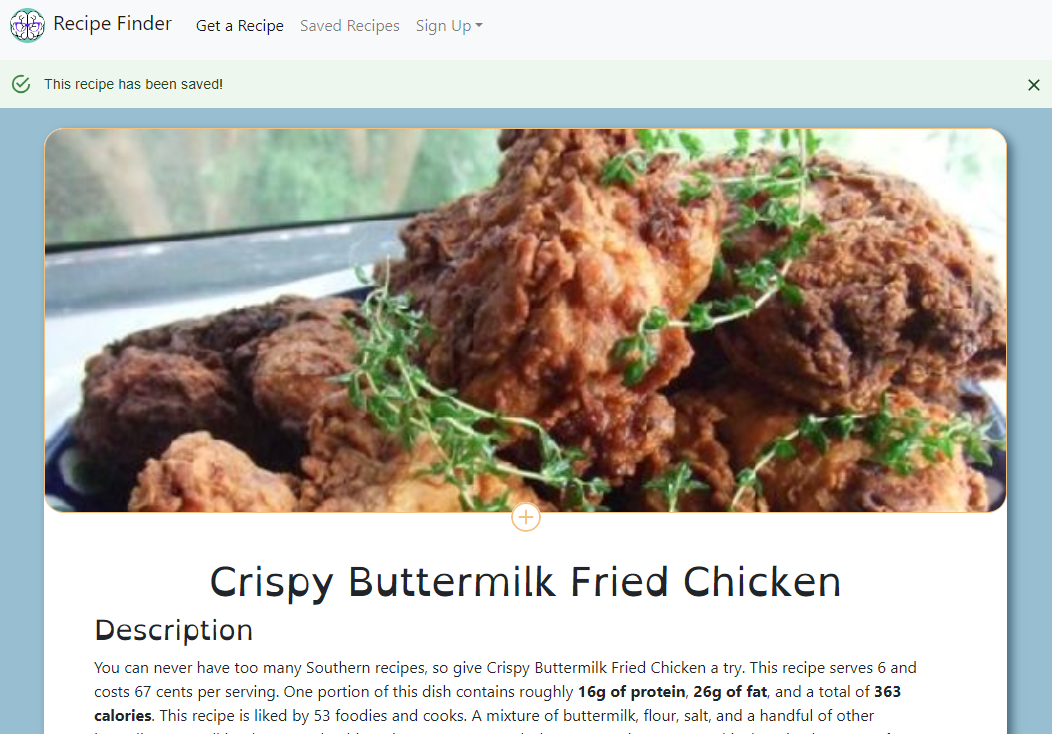
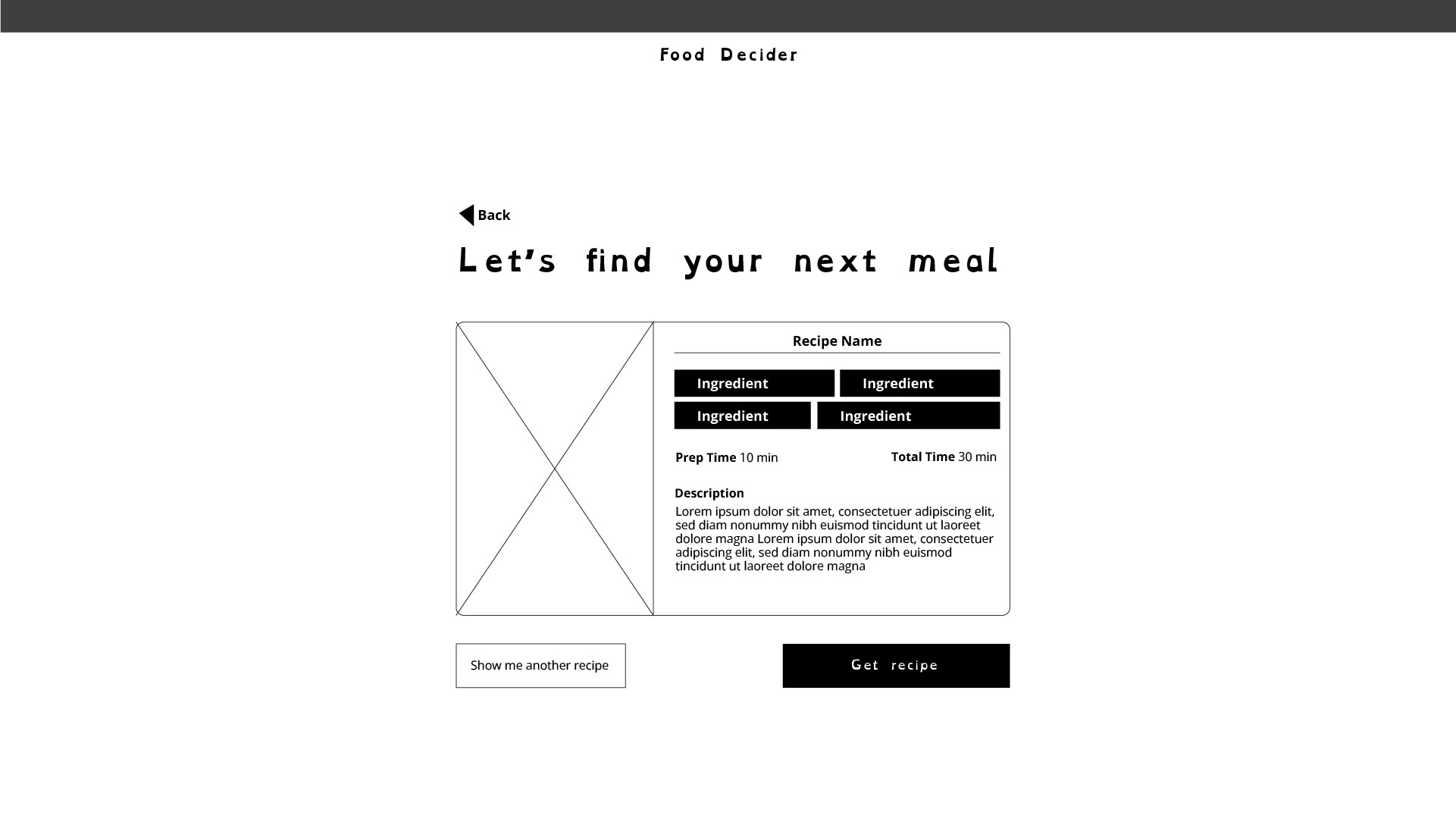
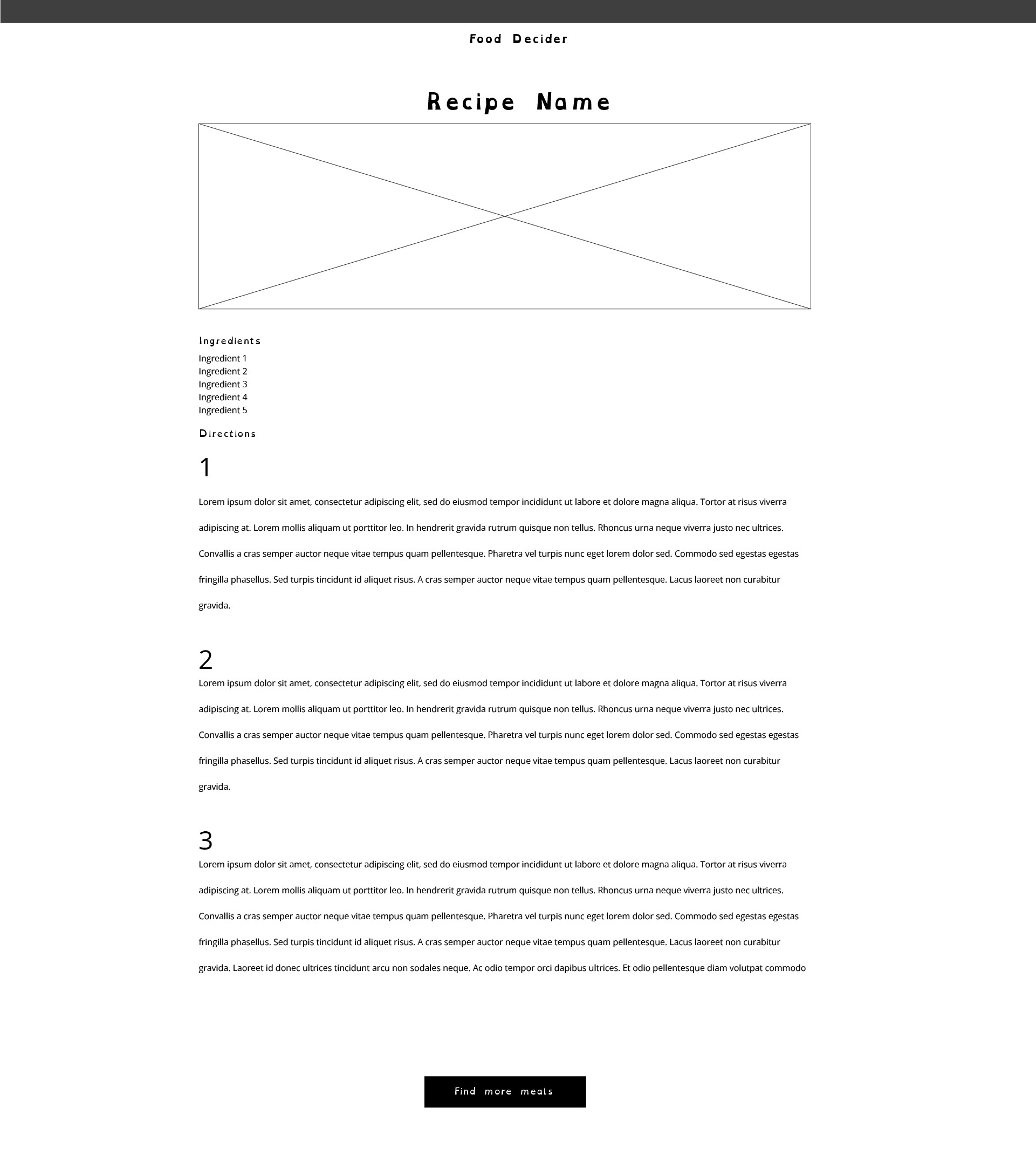
Our Focus Food app minimizes distractions by allowing users to swiftly select ingredients and presents recipes with minimal interruption, using a slot machine animation to maintain engagement. This approach optimizes the user’s path to finding a recipe, minimizing interruptions and ensuring a user-friendly, distraction-focused experience.
Technologies Used
- JavaScript
- React
- Flask
- Python
- Bootstrap
- CSS
- iPassage
- MySQL
The Build
Wire Framing

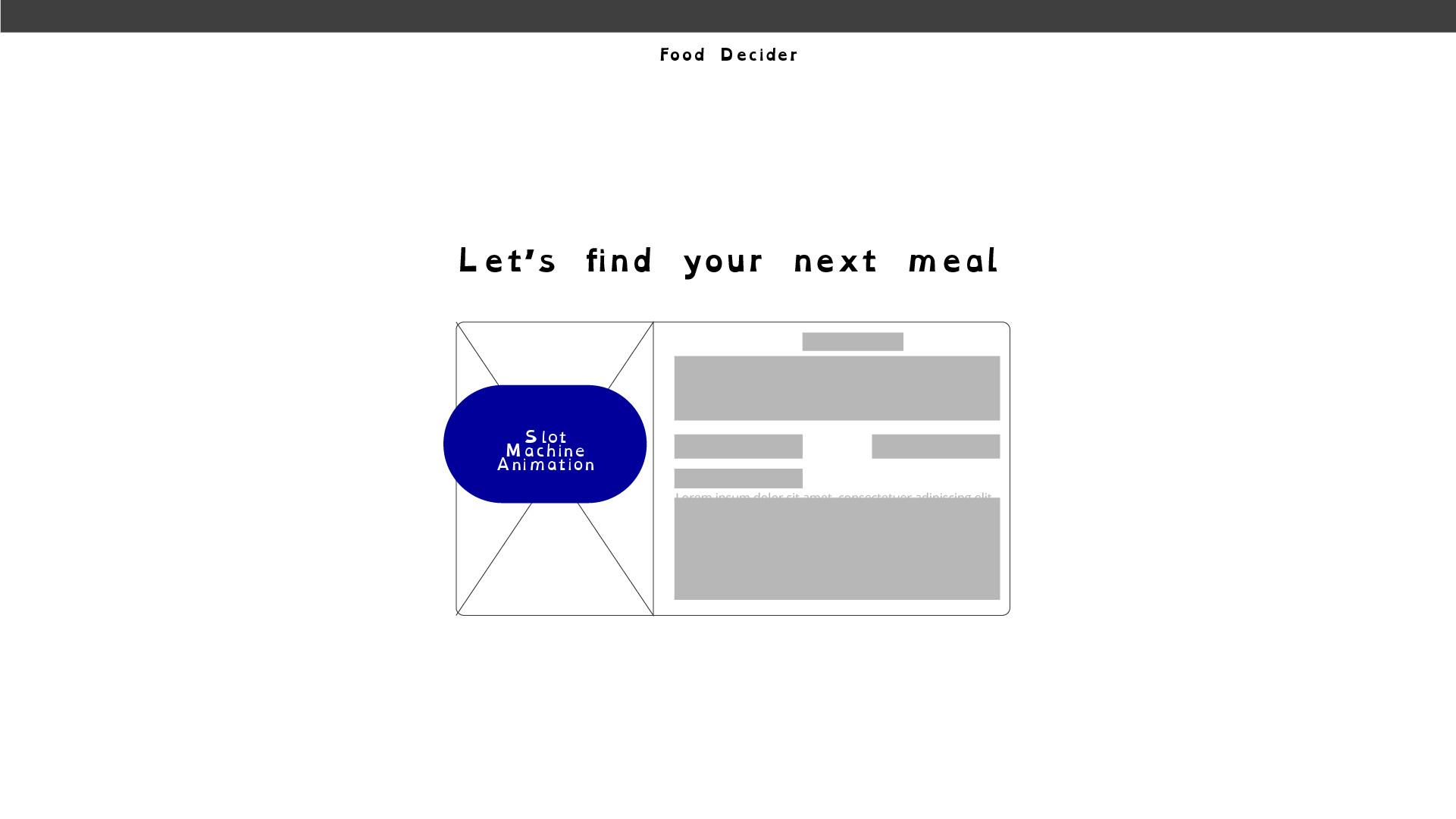
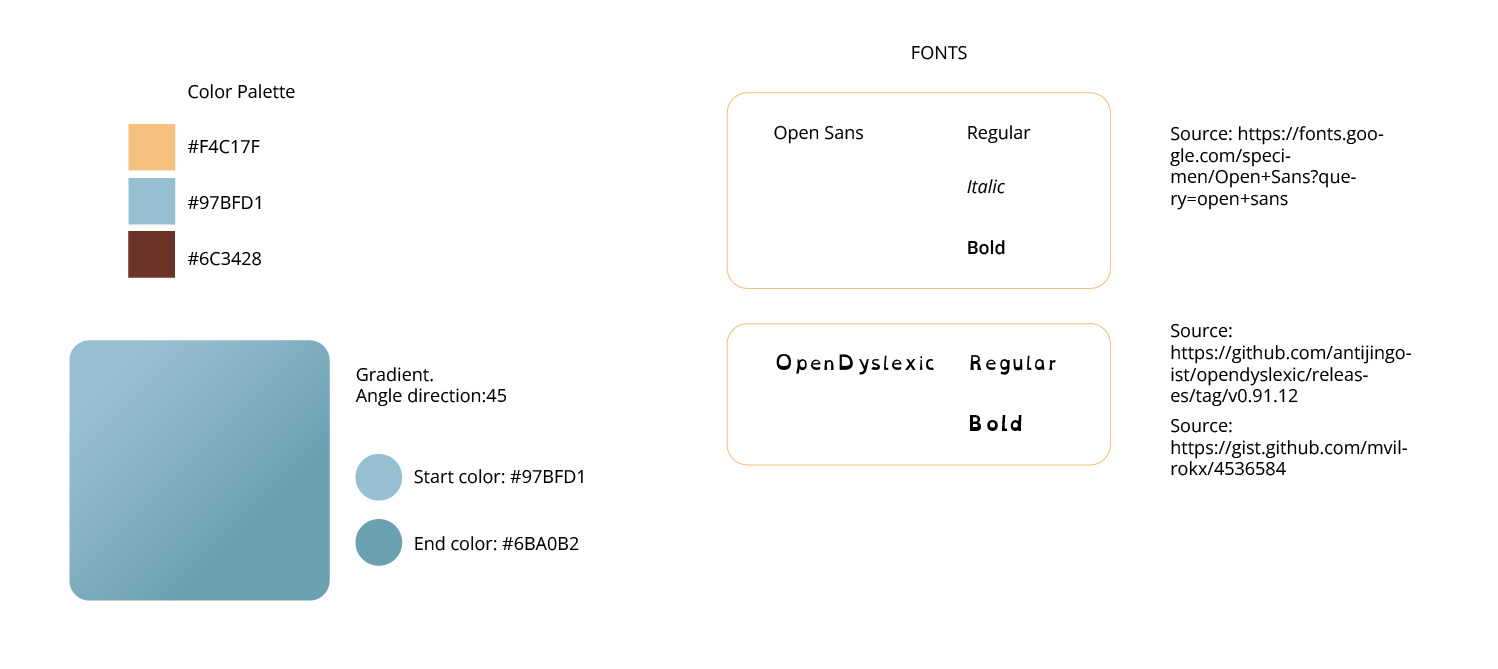
Design Details
The final Product: FOCUS FOOD
What We Learned
- Learned to created a complete web-app connecting front end with back end
- React Basics
- Setting up Flask Server
- Shared team knowledge
- Developed a deeper understanding of Git
- Effectively communicate with the team Learned new web techonologies
Super Brains Team
- Jessica Perry - Team Lead
- Calico Seders - Technical Lead
- Elaine Serrano - Front End
- Ana Villalobos - Front End
- Chris Gruenhagen - Full Stack
Attribution
Recipe data obtained from the Spoonacular API. https://spoonacular.com/food-api
License
MIT
Copyright (c) SUPERBRAINS '23
Visions of Yesterday
A Virtual Reality narrative where the user will experience dementia symptoms.
// DEMO VIDEO RECORDING // 1080P HD
About
Visions of Yesterday is an empathy based Virtual Reality application, created to teach users the trials and tribulations associated with dementia. The intended audience for this project are as follows: dementia care workers, dementia stricken families, and those interested in how VR can teach empathy.
Vision
This project can help teach our potential audience valuable lessons about dementia, through the use of empathy. The vision of the project is to demonstrate that simple tasks, such as finding one's toothbrush, can be almost insurmountable when one has dementia. The user is situated in a house with a caretaker to assist them. The goal of this experience is to generate awareness and empathy for those with dementia by focusing on the visual impairments associated with this disorder.
Characteristics
- Developed in Unity
- Start Date: May 3d, 2022
- Final Date: August 12th, 2022
- Project type: Proof of Concept
Team
- Anthony Fusio. 3d Artist
- Elaine Serrano. Developer, Technical Artist
- Jorge Leon. Lead Developer
- William Livingston. Level Designer, Narrative designer
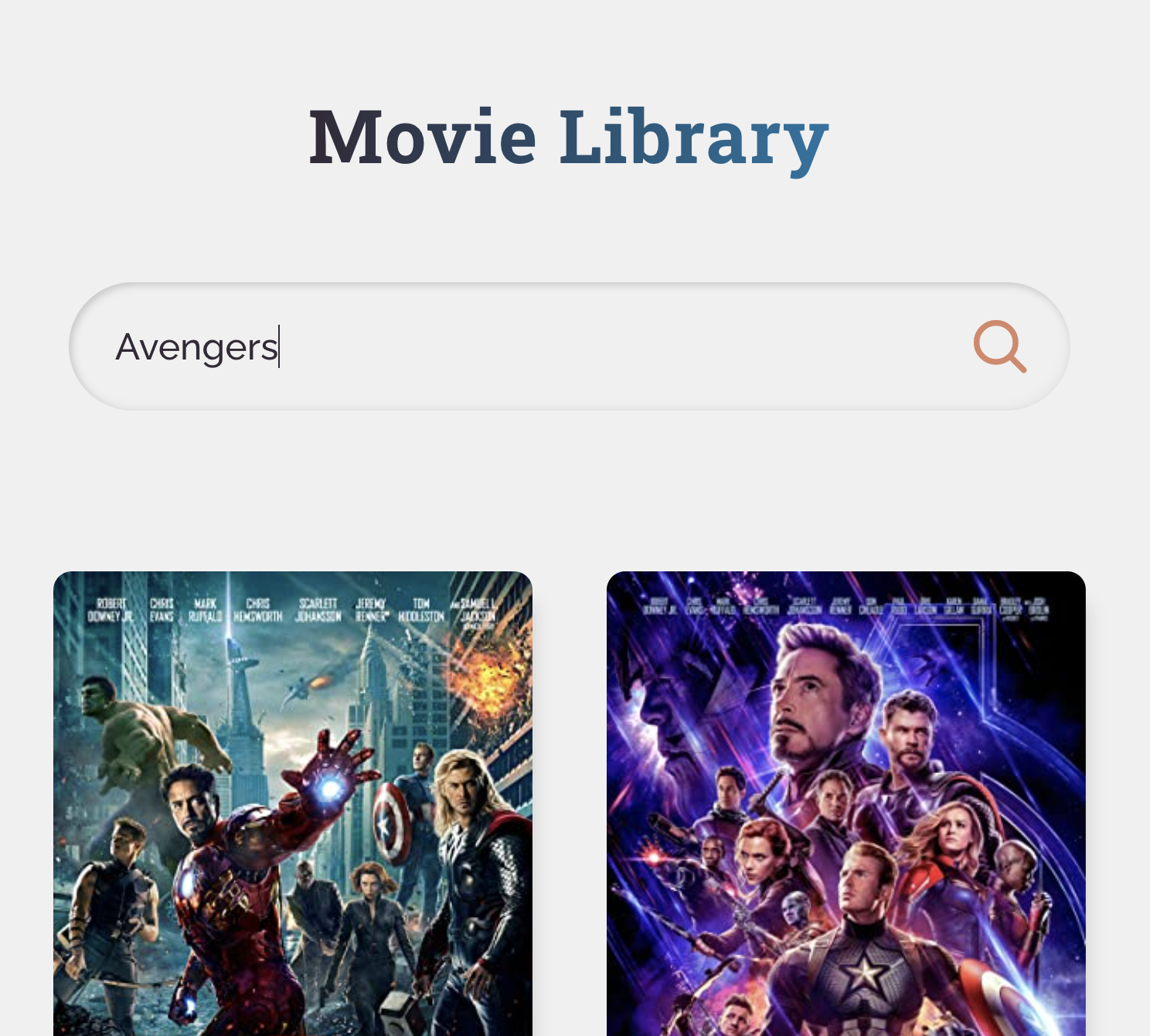
Movie Library
Type the name of a movie and get the movie information
// PROJECT MEDIA CAPTURE
Rube Goldberg Machine
A machine that completes a single task in a complicated way. The task for my machine is to open a box full of cookies.
// DEMO VIDEO RECORDING // 1080P HD
About
A project developed as my final project at Vancouver Film School in the VR/AR Design & Development program. This project was developed in Unity Engine.
Functionality
This project was made for an assignment at Vancouver Film School. The task consisted in designing a Rube Goldberg Machine in Unreal Engine, using for the most part Physics simulation with the minimum amount of Blueprints. A Rube Goldberg Machine does a simple tasks in a complicated way by combining multiple objects to create a chain reaction. These machines are fun to watch when they are working, so I designed mine to do a fun task, which was to open a box full of cookies.
Characteristics
- Developed in Unreal Engine 4
- Start Date: April 7th, 2022
- Final Date: April 21st, 2022
- Assets from Quixel Bridge
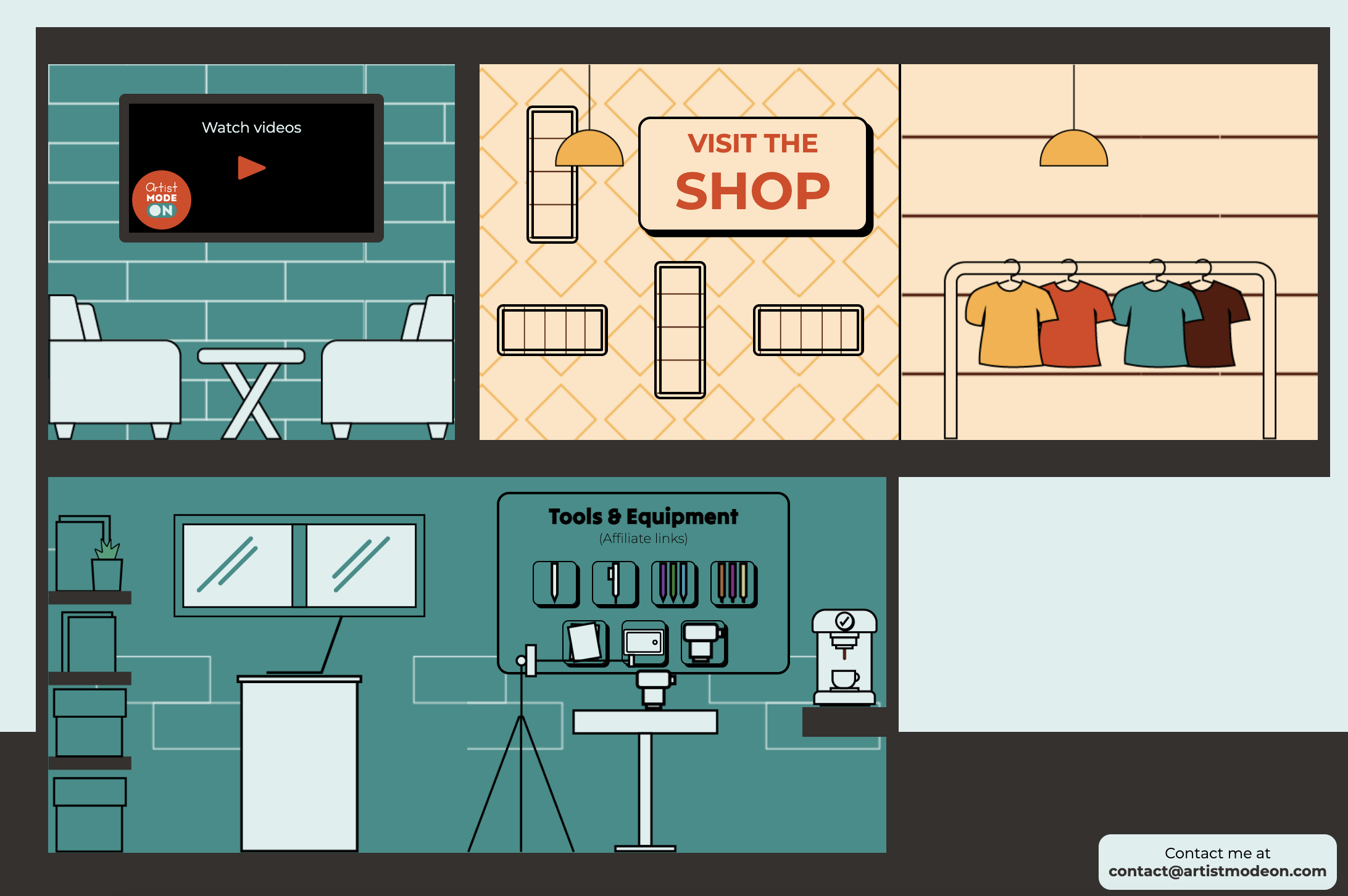
Artist Mode On Website
Website Design
// PROJECT MEDIA CAPTURE
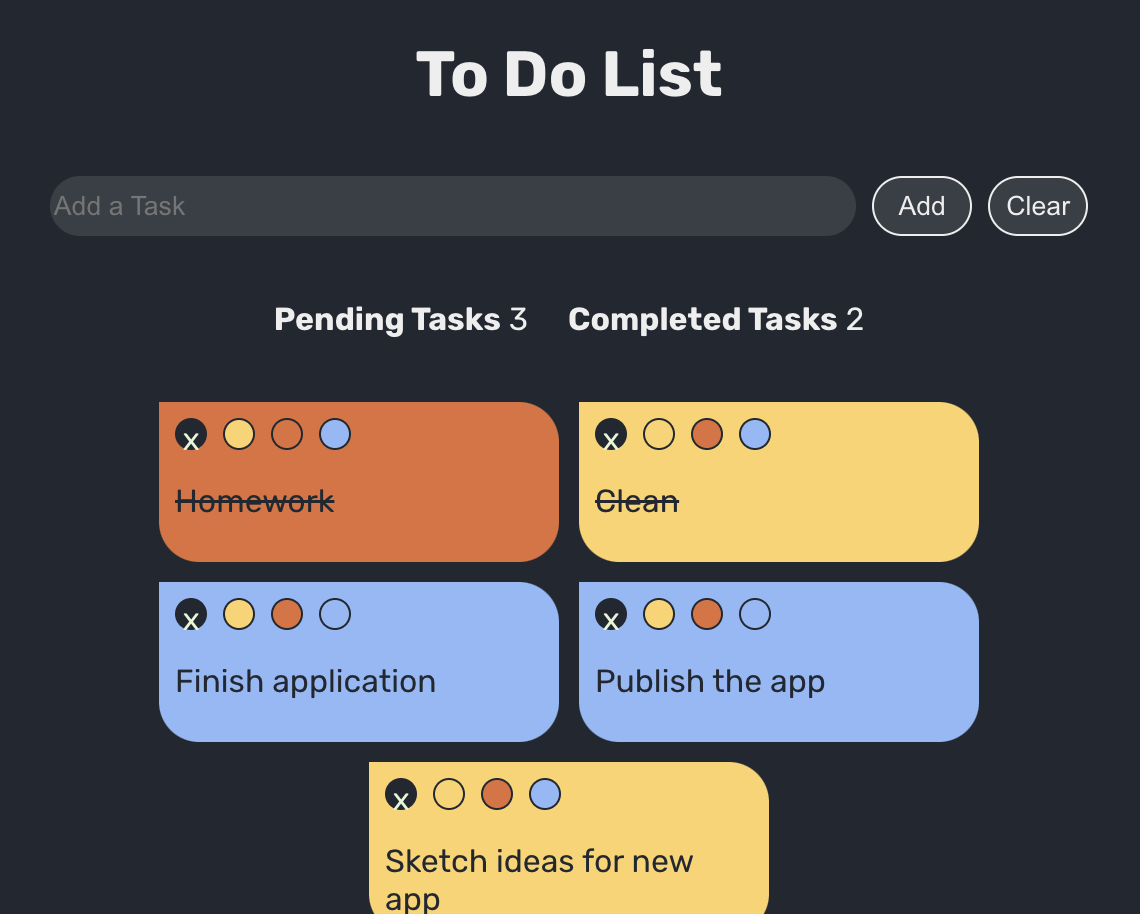
To do list App
A simple tool to make a list of tasks.
// PROJECT MEDIA CAPTURE
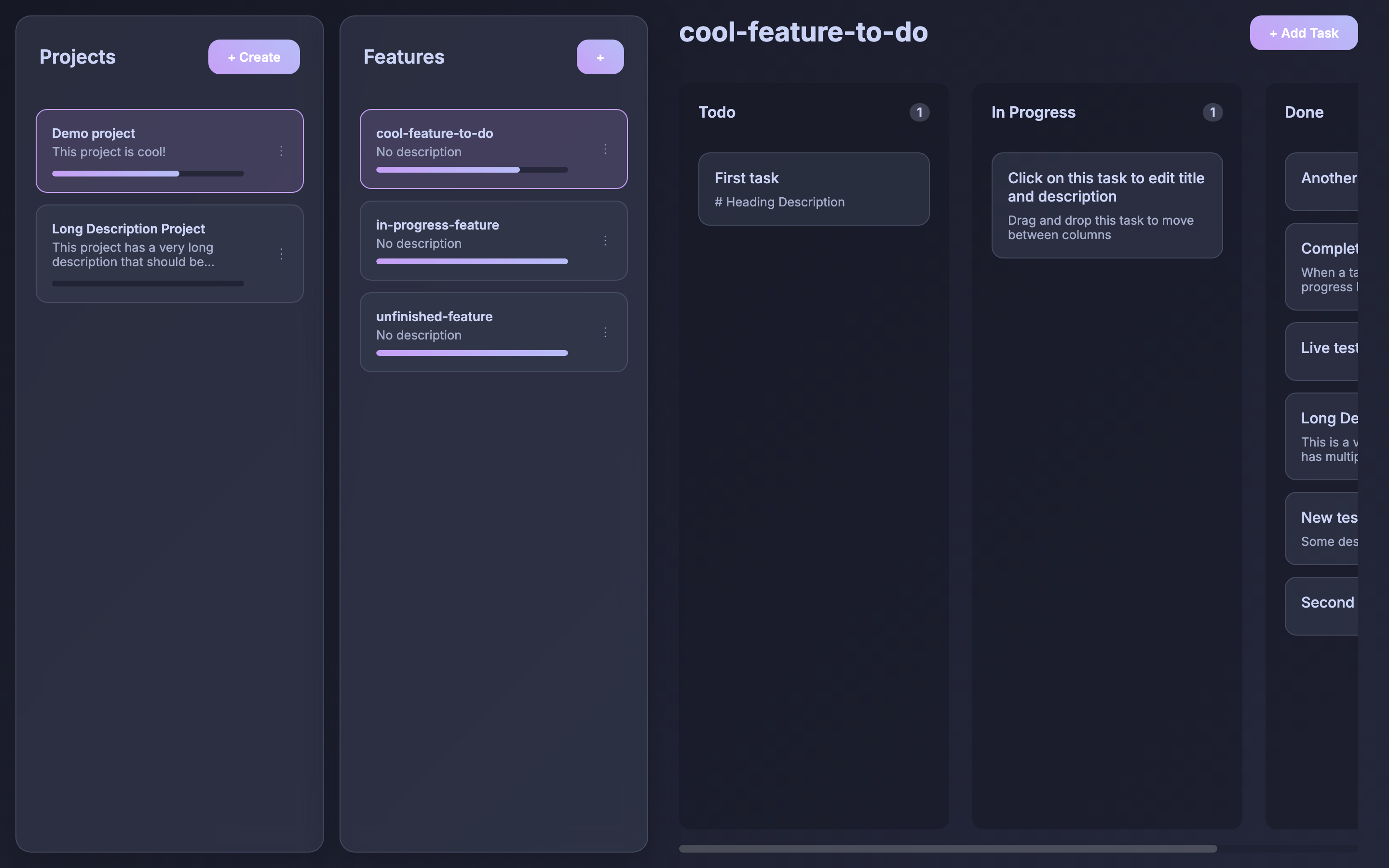
Markdown Task Manager
A privacy-first, file-based task management system with a reactive Kanban interface built with SvelteKit.
// PROJECT MEDIA CAPTURE
About
A custom, privacy-first task management system built with SvelteKit that brings a modern, reactive Kanban board experience to your local filesystem. Designed specifically for developers and power users, it stores all tasks, projects, and features as standard Markdown files in a local directory rather than locking data away in a proprietary database or cloud service.
Motivation & Problem
Many productivity and task management tools lock task data into proprietary formats, behind subscription walls, or on remote servers. This limits portability, makes offline access clunky, and prevents developers from using command-line scripts or Git version control to manage their workflows.
Markdown Task Manager solves this by strictly mirroring your directory tree. Because your tasks are plain Markdown files with standard YAML frontmatter, you retain complete ownership of your data and can seamlessly sync it using tools like Git, Obsidian, Nextcloud, or Dropbox.
How It Works
The application uses a file and folder structure directly mapped to your tasks:
- Folder Parsing: The backend scans your designated data directory. Top-level folders represent Projects, sub-folders represent Features, and the enclosed Markdown (
.md) files represent individual Tasks. - YAML Frontmatter: Metadata such as task
status(e.g., Todo, In Progress, Done) and generated IDs are stored directly in YAML frontmatter at the top of each file. The body of the Markdown file contains the detailed description and task notes. - Reactive Kanban Interface: The SvelteKit frontend parses these files and renders them as cards across Kanban columns.
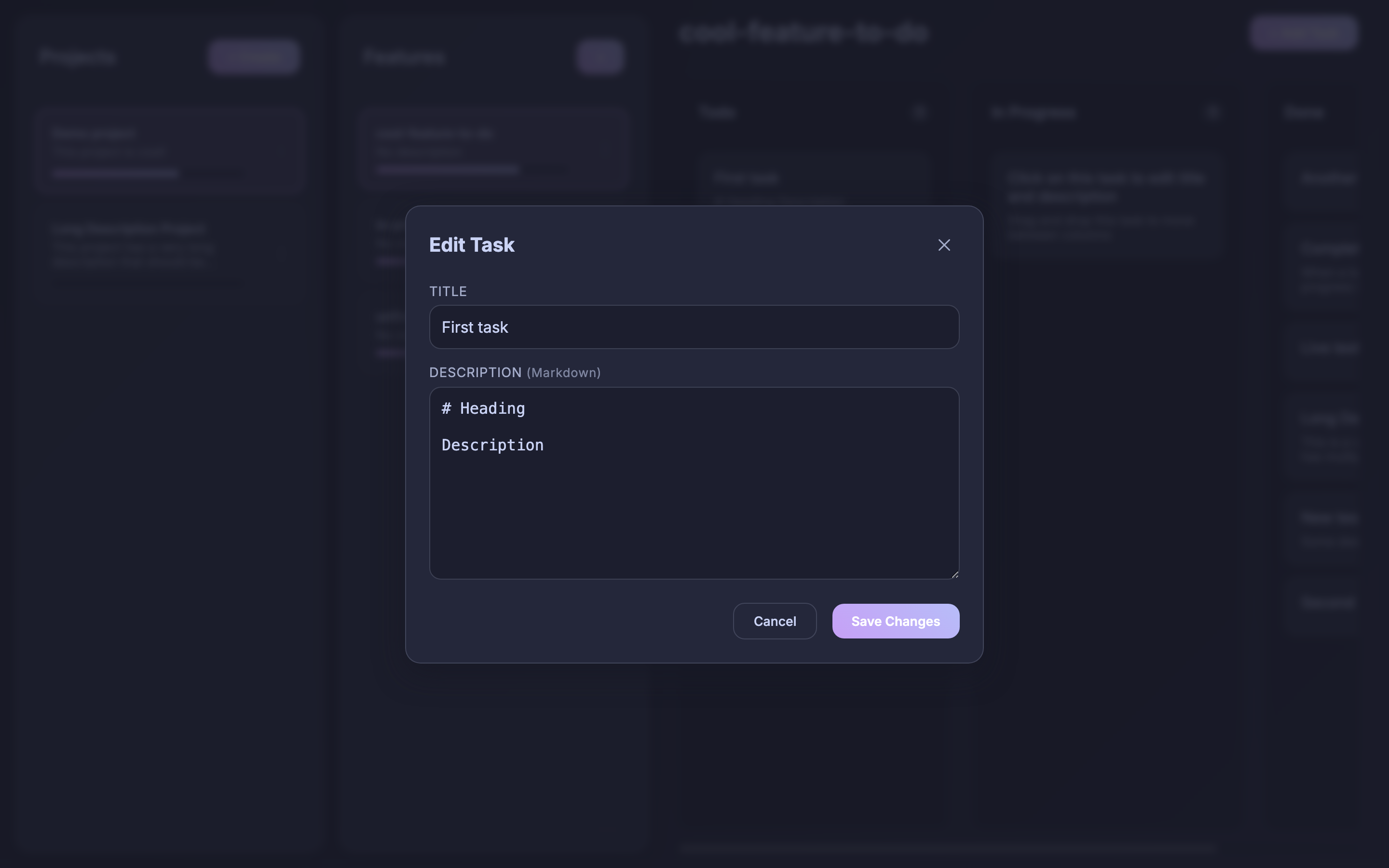
- Real-Time Disk Sync: Dragging a card between columns or editing details in the modal immediately updates the YAML frontmatter and Markdown content on disk.
Key Features
- Reactive Kanban Board: Smooth drag-and-drop task management across columns with instantaneous file synchronization.
- Custom Project Statuses: Configure custom workflow columns per project in
project.md(e.g.,statuses: 'todo, in-progress, review, done') with tailored completion statuses. - Hierarchical Organization: Organize work into top-level Projects and targeted Feature subfolders.
- Rich Task Editor: In-app modal editor allowing quick updates to task descriptions, status flags, and metadata.
- Automatic Progress & Date Tracking: Automatically tracks
startDateand timestampsendDatewhen all subtasks reach completion, reactively updating progress bars. - Project Archiving: Easily archive completed or inactive projects to an
archive/folder to keep the active workspace uncluttered while preserving files. - Containerized Deployment: Packaged with Docker and Docker Compose with simple persistent host volume mapping.
Technologies Used
- Frontend & Framework: SvelteKit, Svelte 5, Vite
- Parsing & Data Handling: gray-matter (YAML frontmatter parsing)
- Languages: TypeScript, CSS, HTML
- Infrastructure & Containerization: Docker, Docker Compose, Node.js
Visuals & Workflow
Kanban Board Dashboard
Task Editor Modal
Learnings & Development Notes
- Designing a bidirectional synchronization system between the local filesystem and a reactive SvelteKit state store.
- Managing filesystem watching and asynchronous read/write operations without race conditions.
- Leveraging Svelte 5's reactivity model to maintain snappy UI interactions across deep project and feature hierarchies.
- Packaging a full-stack Node.js and SvelteKit application inside Docker with host volume persistence for developer workflows.
Diagram Markdown Visualizer
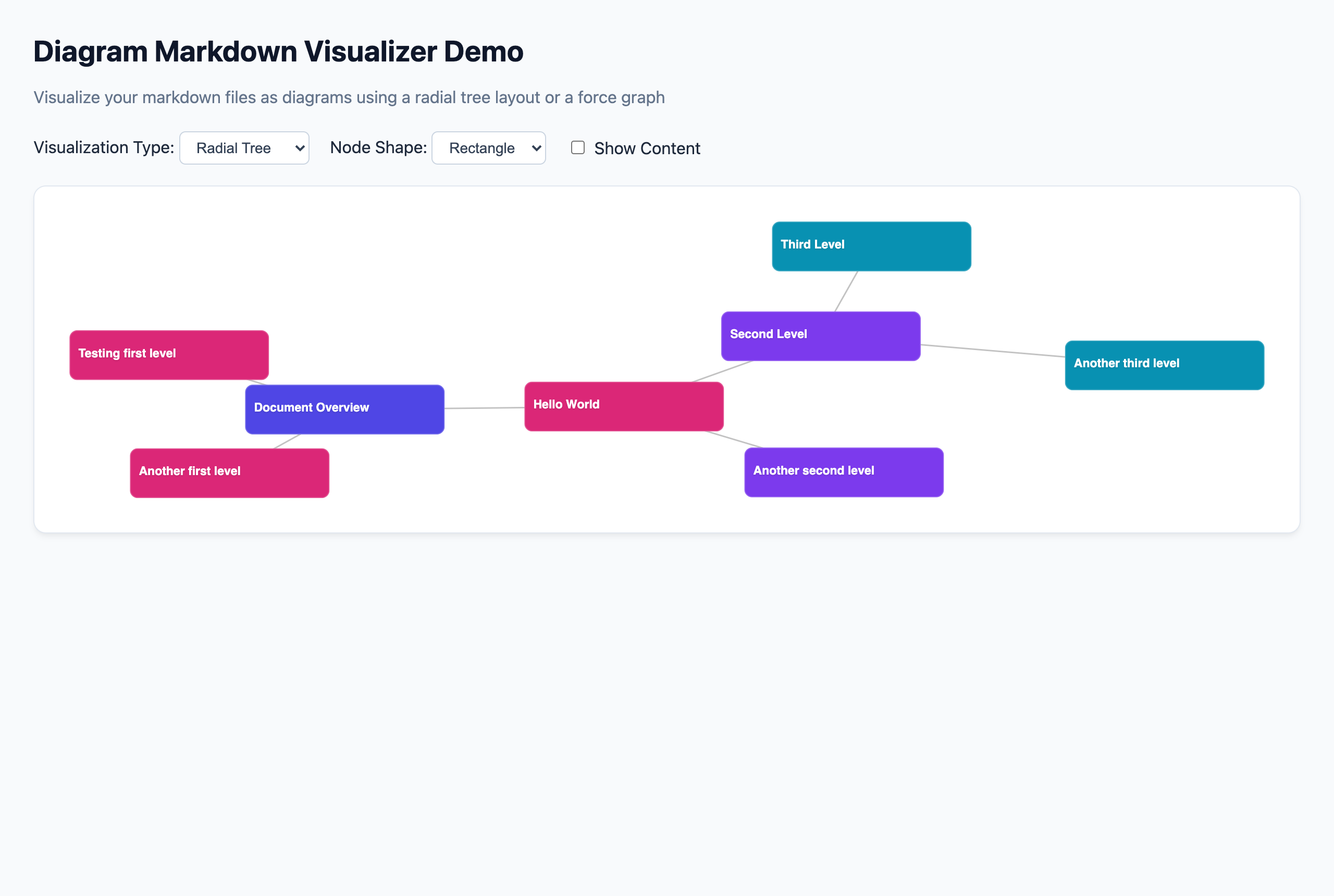
A modular TypeScript and Svelte toolkit that parses Markdown document hierarchies into interactive SVG diagrams.
// PROJECT MEDIA CAPTURE
About
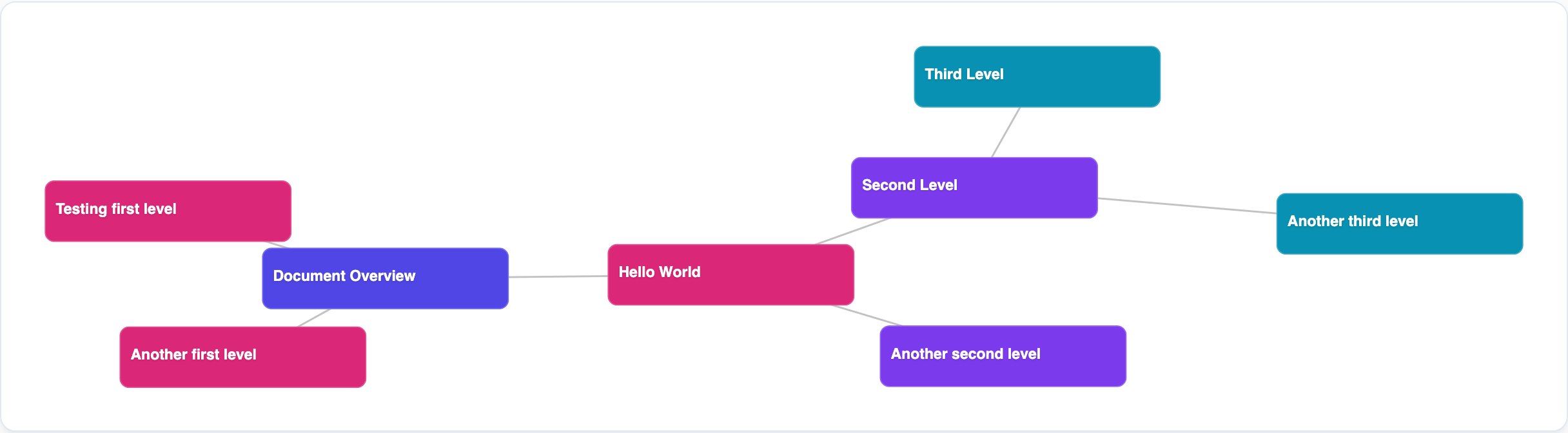
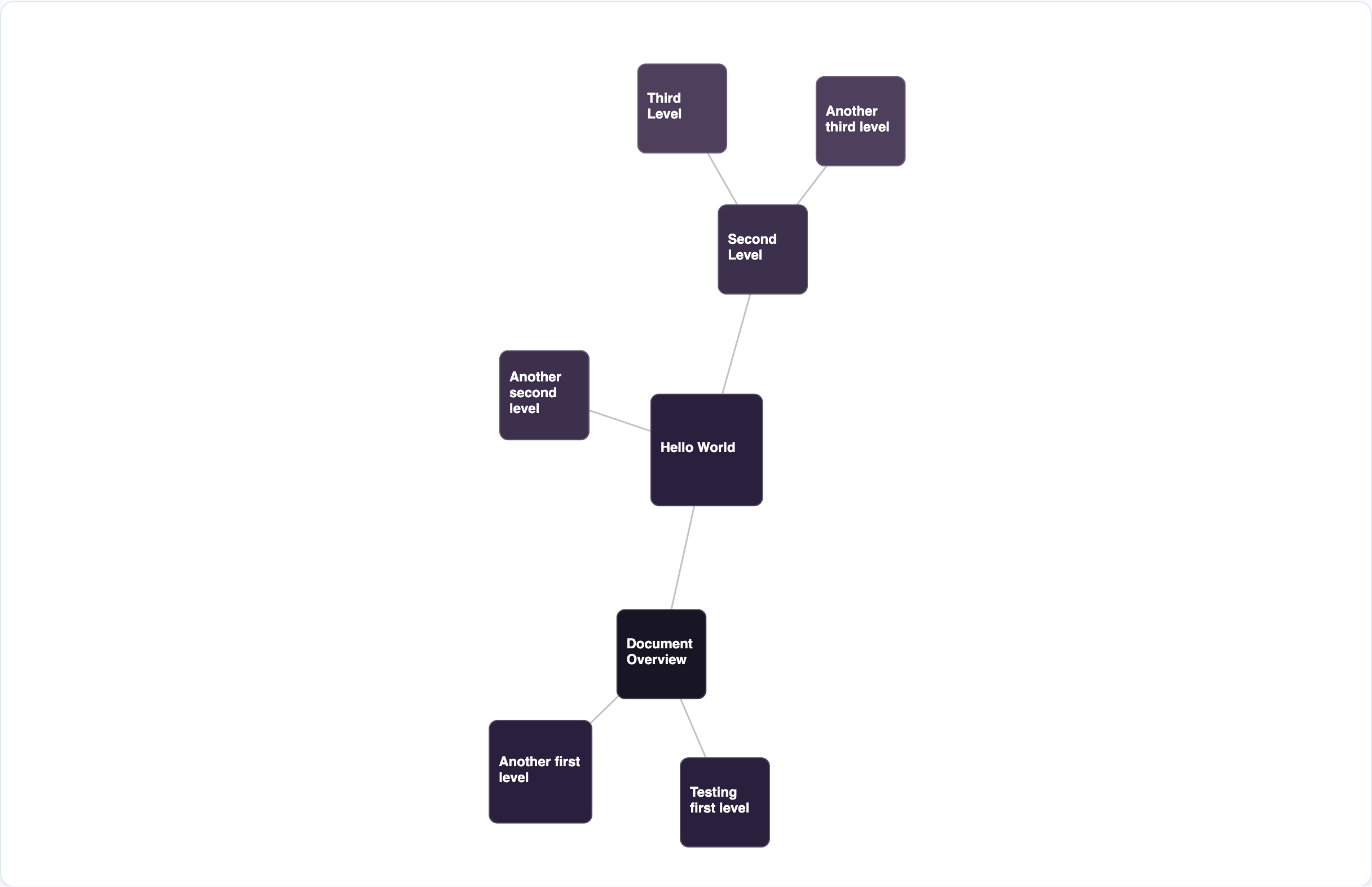
Diagram Markdown Visualizer is a modular open-source toolkit designed to parse Markdown documents and visualize their internal heading hierarchies as interactive diagrams. Initiated as an in-depth exploratory project into modern npm package authoring and monorepo architecture, it bridges raw documentation with dynamic data visualization.
Motivation & Problem
Markdown files inherently represent hierarchical information through headings (#, ##, ###), but reading dense conceptual trees in linear text can make it difficult to grasp the overarching relationships between topics. While manual diagramming tools exist, they require separate maintenance and duplicate effort.
This toolkit automates the process: developers and note-takers can feed standard Markdown strings directly into the engine and obtain beautiful, interactive SVG diagrams with zero diagramming syntax required.
Architecture & Monorepo Design
The project is architected as an npm monorepo separated into two decoupled packages:
@markdown-to-diagram/core: The headless engine. It utilizesremarkandremark-parseto convert raw Markdown into a hierarchicalTreeNodeabstract syntax tree (AST). It then provides layout computation engines powered byd3-hierarchy(for radial tree layouts) andd3-force(for dynamic force-directed layouts).@markdown-to-diagram/svelte: A companion component library built with Svelte 5. It consumes the computed node coordinates from the core package and renders reactive, accessible, and themeable SVG diagrams.
How It Works
- Markdown Parsing: The core package walks the Markdown AST, extracting heading levels to form parent-child node relationships while associating following text blocks as content payloads.
- Layout Calculation: The engine computes geometric node coordinates, dimensions, and connection curves using radial tree projections or iterative force simulations.
- Reactive Rendering: The Svelte 5 component renders SVG elements with reactive bindings, supporting pan, zoom, dragging, and interactive shape toggles.
Key Features
- Multiple Layout Modes:
- Radial Tree: A clean, circular hierarchical layout placing the root concept at the center with child nodes branching outwards.
- Force-Directed Graph: An interactive, physics-based network diagram with draggable nodes and dynamic repulsive/attractive forces.
- Configurable Node Shapes: Flexible rendering supporting both compact rounded rectangles and fluid ellipses.
- Content Toggle: Option to view high-level heading titles or expand nodes to display the full Markdown paragraph content inside.
- Customizable Theming: Built-in depth-based color palettes and configurable SVG padding/dimensions.
Technologies Used
- Core Engine: TypeScript, Remark, remark-parse, mdast
- Visualization & Physics: D3.js (
d3-hierarchy,d3-force) - UI Components: Svelte 5, SVG, Vite
- Monorepo & Publishing Tooling: npm workspaces, Changesets, Vitest
Visuals & Workflow
Demo Application Overview
Radial Tree Layout
Force-Directed Graph
Learnings & Takeaways
- Structuring a production-grade TypeScript monorepo using npm workspaces and versioning with Changesets.
- Deepening knowledge of AST parsing pipelines using the Unified/Remark ecosystem.
- Implementing D3 hierarchy projections and force simulation physics inside modern Svelte 5 components.
- Designing clean API boundaries to decouple data parsing logic from UI rendering frameworks.
Yearly Timeline Obsidian Plugin
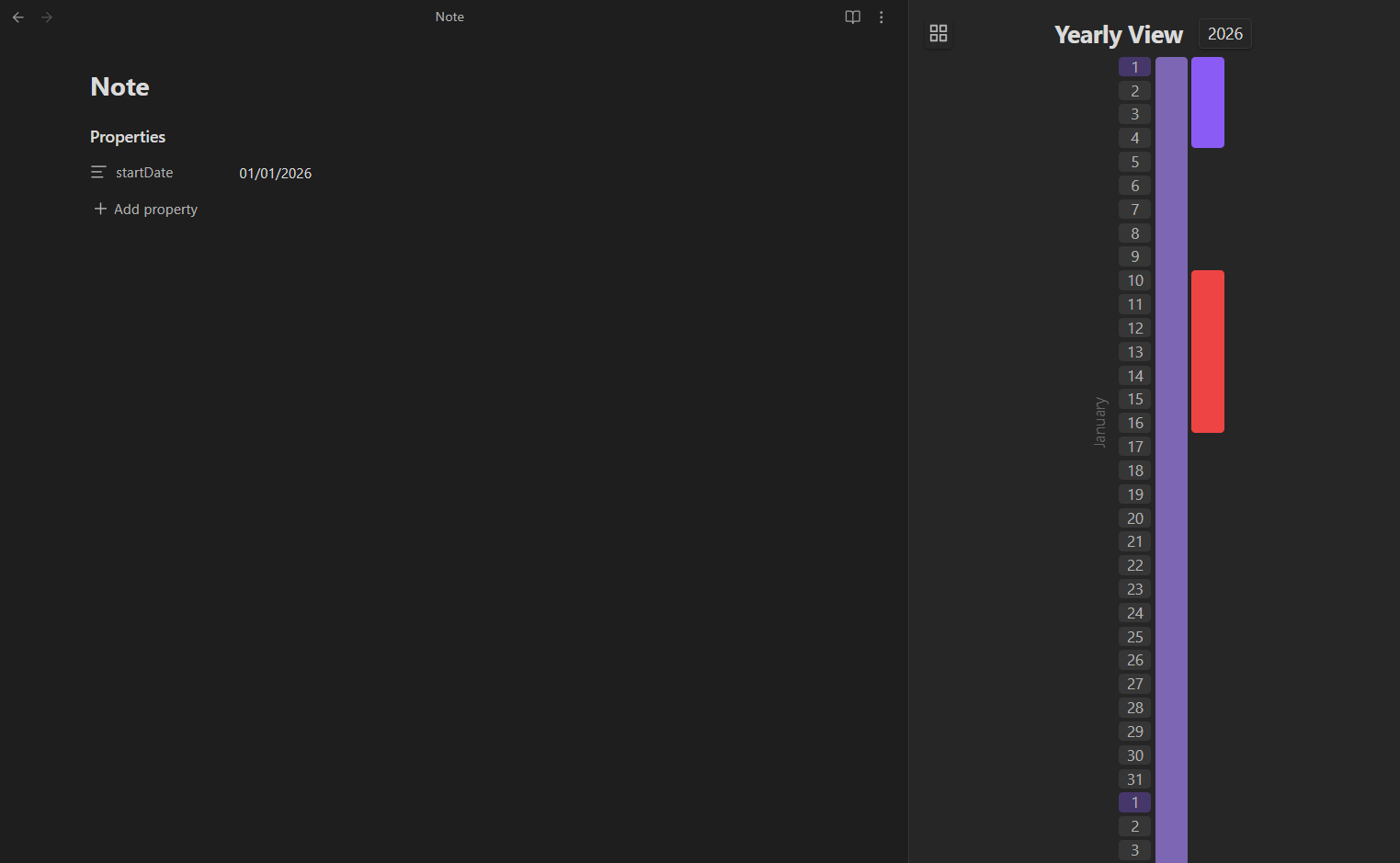
An Obsidian plugin providing an intuitive vertical timeline to track and visualize notes and projects across an entire year.
// PROJECT MEDIA CAPTURE
About
Yearly Timeline is a vertical timeline plugin built for Obsidian that enables users to track, visualize, and reflect on their projects, milestones, and notes across a comprehensive yearly view.
Motivation & Problem
In personal knowledge management, notes and project logs frequently end up scattered across disparate folders or buried in daily notes. Traditional calendar plugins typically focus on daily or monthly views, making it challenging to see the "big picture" of initiatives that span across multiple weeks or months.
Yearly Timeline solves this by providing a high-level vertical visual timeline directly inside Obsidian. It allows users to quickly review their yearly journey, evaluate ongoing commitments, and maintain momentum on long-term goals.
How It Works
The plugin leverages standard Obsidian Markdown note frontmatter (YAML) without locking you into custom data formats:
- Vault Indexing: The plugin scans your notes for metadata fields, automatically picking up any note containing a valid
startDate(formatted asDD/MM/YYYY). - Dynamic Status Resolution:
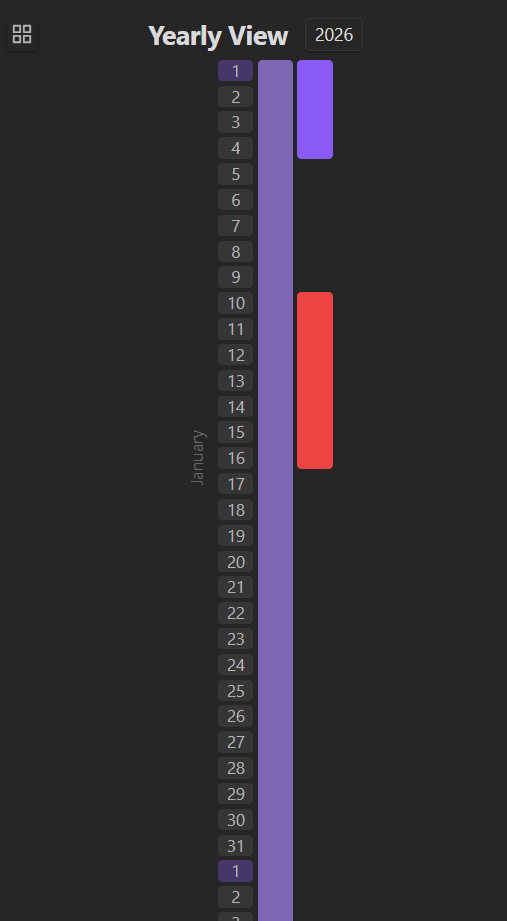
- In-Progress: Notes with a
startDatebut noendDateare styled at 50% color saturation and dynamically extended to the current date. - Done: Notes containing both
startDateandendDateare displayed at 100% full color saturation. - Todo: Notes without dates remain organized in your vault without cluttering the active timeline.
- In-Progress: Notes with a
- Overlap Resolution: When multiple projects or events share overlapping date ranges, the plugin dynamically arranges them into adjacent vertical columns to ensure clear readability.
- Instant Note Navigation: Clicking on any block in the timeline immediately opens the associated note in the Obsidian active pane.
Key Features
- Vertical Yearly Perspective: View your entire year's activities, milestones, and project lifecycles at a glance.
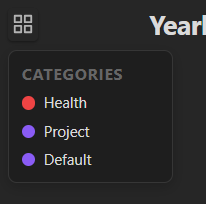
- Dynamic Category Color Coding: Notes are automatically categorized and assigned colors from a curated 12-color vibrant palette based on discovery order.
- Collapsible Legend Panel: Quick-access categories legend showing current color mappings with easy filtering.
- Automatic Progress & Saturation: Immediate visual distinction between active initiatives and completed milestones.
- Year Navigation: Interactive year selector to review past years or plan forward.
- Accurate Calendar Math: Full support for leap years, varying month lengths, and multi-day spans.
Technologies Used
- Plugin Platform: Obsidian Developer API
- UI Framework: Svelte 5
- Languages: TypeScript, CSS
- Build Tooling: esbuild, ESLint
Visuals & Workflow
Yearly Timeline View
Dynamic Categories Panel & Legend
Status & Saturation Indicators
Learnings & Development Notes
- Working within Obsidian's custom view lifecycle and workspace leaf architecture.
- Implementing an interval layout algorithm to efficiently pack overlapping date ranges into parallel visual lanes.
- Embedding Svelte 5 components seamlessly inside an Electron-based desktop application with custom Obsidian CSS themes.